
For reporting of deep links, the URLs must be added to the Email Deep Link section under the Map Tables menu:
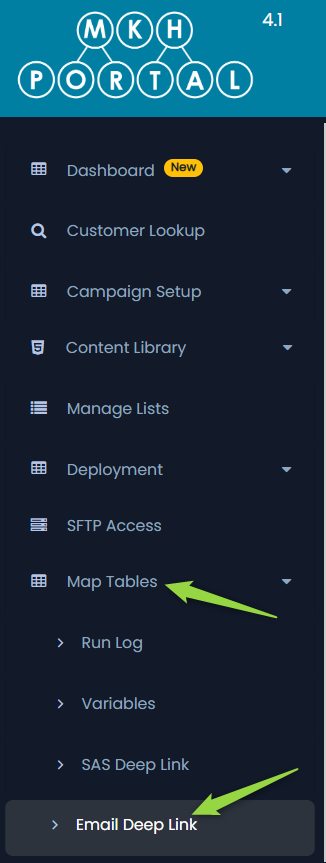
You will see a list of the existing deep links (if any already exist).
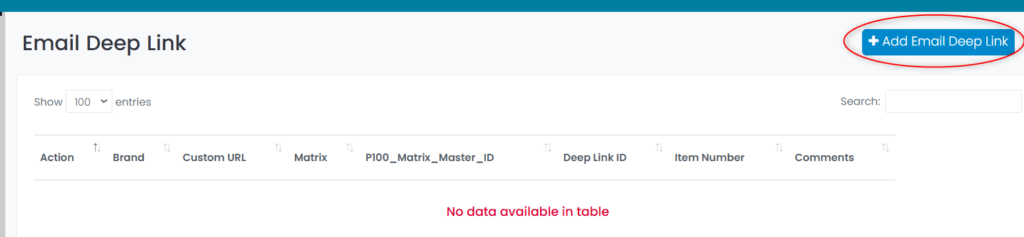
To add a new deep link, click on the +Add Email Deep Link button on the top right of the screen:
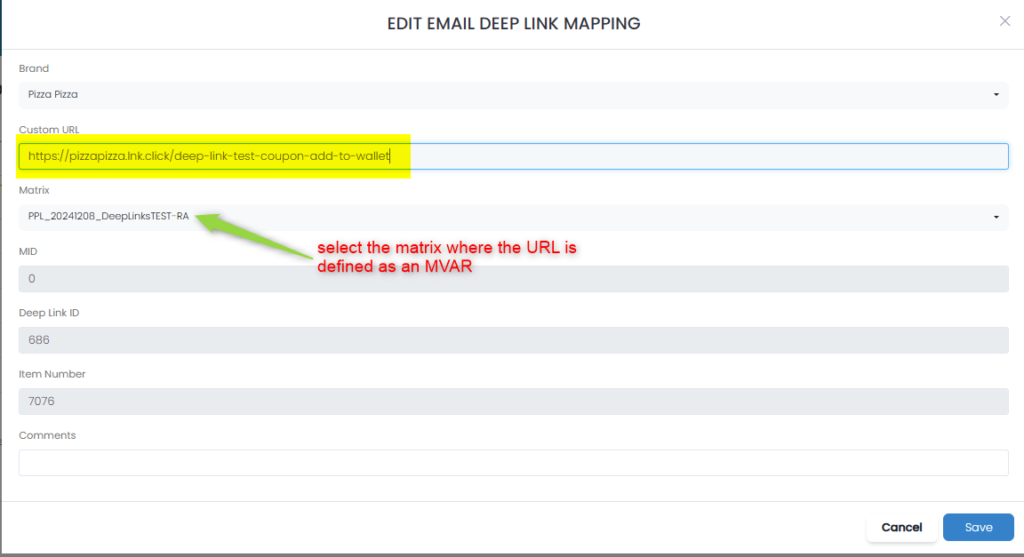
Follow these steps to add an entry to the table:
1: Select the brand to which this deep link applies
2: Enter the URL for the deep link (this must match the URL created in the matrix, see below)
3: Select the matrix for which this deep link applies
4: Enter any comments to identify this deep link
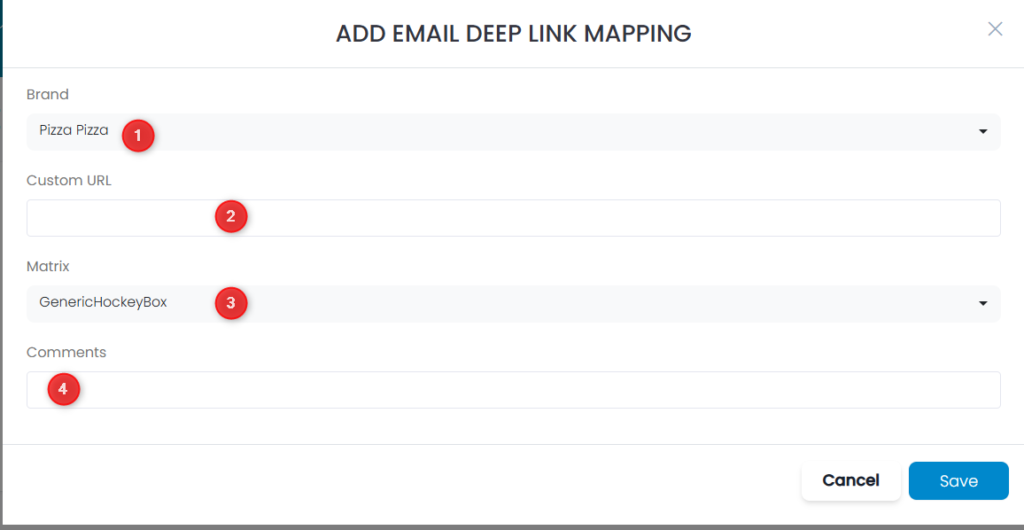
Click the Save button in the bottom right of the screen to save the link.
Note that the URL must have been defined in the matrix as an MVAR:
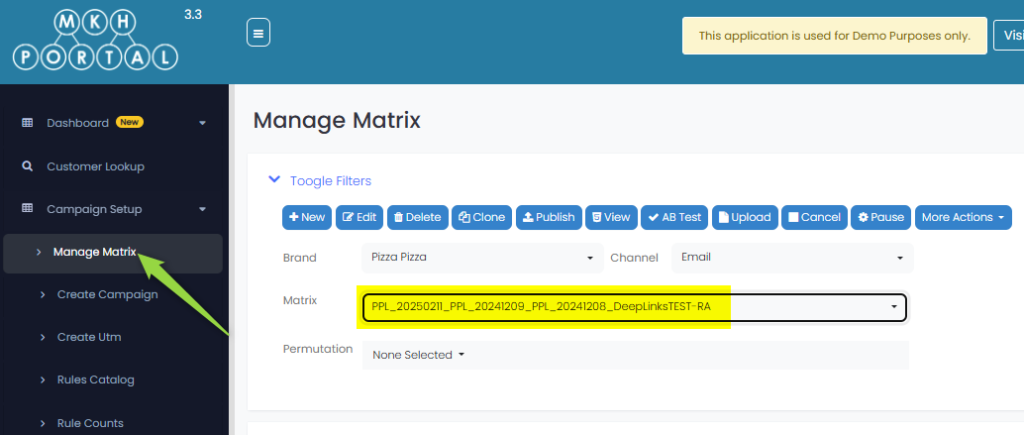

Enter the URL from the matrix and select the matrix from the drop down list where the MVAR is defined (you can only select a matrix that has been published):
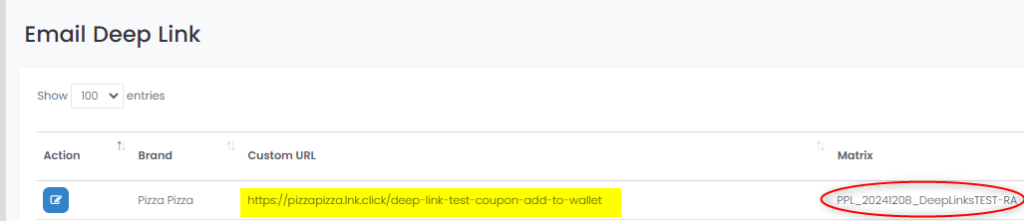
This is what the entry looks like in the table:
Deep link URLs must be unique (i.e. cannot exist in multiple matrices)